

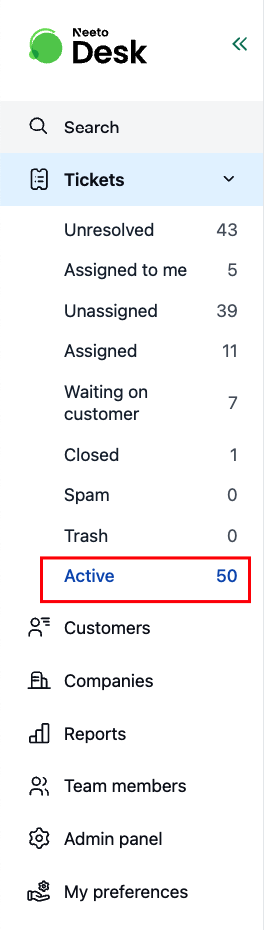
In NeetoDesk, the Active Tickets count gives you an overview of all tickets currently in the system. This number is calculated using the following formula:
Active Tickets = Total tickets − (Closed + Spam + Trash)
Why does it exclude closed tickets?
"Active" is meant as the active ticket view, not an archive. Once a ticket is closed, the team usually doesn't need to see it in the day-to-day inbox. Folding closed tickets into "Active" would make the count grow forever and the view less useful over time.
What about "Unresolved" tickets?
Unresolved is a built-in view, not a ticket status, and it sits inside the Active set. It shows only the tickets whose status is New or Open, the ones still waiting on a first or next reply from your team.
Unresolved = New + Open
So every Unresolved ticket is also an Active ticket, but not the other way around. A ticket that is On hold or Waiting on customer still counts as Active while it stays out of Unresolved. A ticket returns to Unresolved as soon as its status is set back to Open, for example when a customer replies and an automation rule reopens it.
In addition to the default Active Tickets calculation, you can also create Custom Views to track tickets based on your specific needs.
To learn more about how to create custom views, refer to this help article.